


Color Duck Blast
4.522.00 Reviews
App Specs
- Version
- 1.27.2
- Updated On
- License
- Free
- Downloads
- 10,000+
- Developer
- Zenergy Game
- Categories
- Board
- Platform
- Android
Screenshots
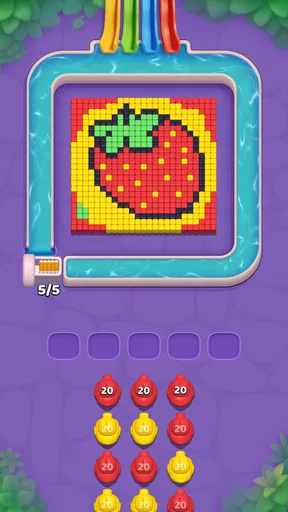
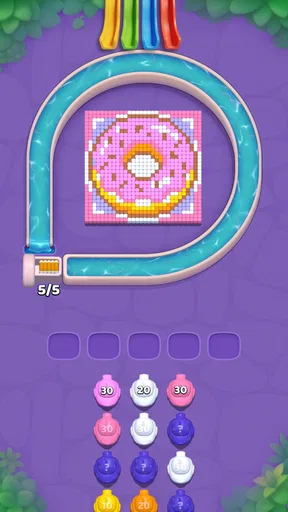
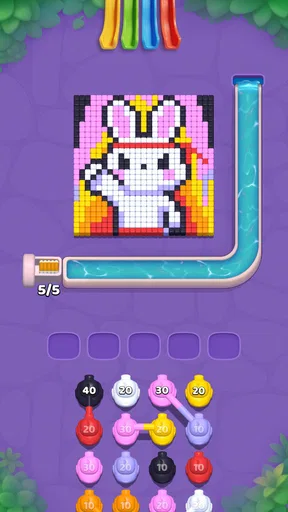
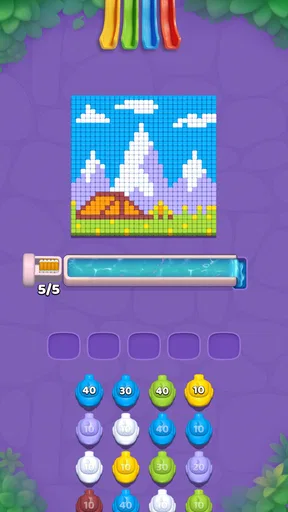
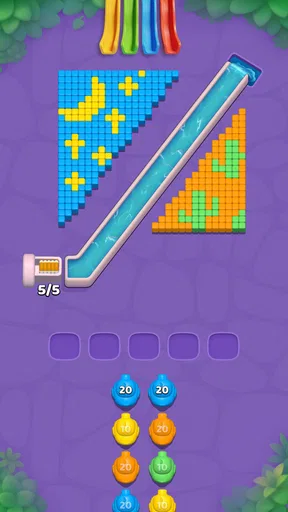
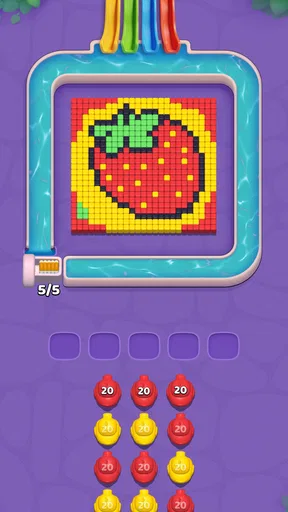

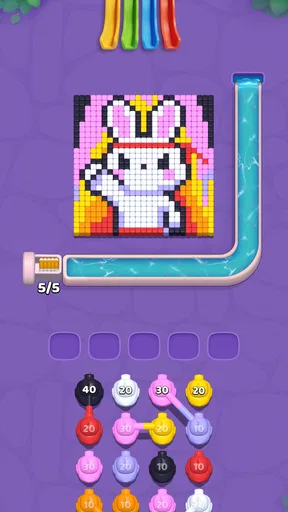
 Analysis by AppCompare
I approached Color Duck Blast as the kind of board game you open when you want a quick, cheerful break rather than a long strategic session. Its central appeal is easy to understand: tap through cozy duck-themed pieces, remove colorful blocks, and enjoy the small burst of satisfaction that comes from clearing a crowded board. That simplicity is also its main test. A game like this has to make short sessions feel pleasant without becoming dull, and it needs enough decision-making to keep tapping from feeling completely automatic.
After spending time with it, I see a lightweight puzzle experience aimed at players who prefer immediate play over complicated rules. It is free to start, rated for Everyone, and made by Zenergy Game. The presentation and basic interaction make it approachable for children, casual players, and anyone who wants something undemanding during a spare moment. At the same time, the in-app purchase range, from $0.99 to $99.99 per item, is worth keeping in mind before handing the phone to a younger player.
How the board feels in a normal play session
The best way to understand this game is to look at its basic rhythm. I open a level, study the arrangement for a few seconds, and then begin tapping groups of matching blocks. Each successful removal changes the shape of the remaining board, so the useful move is not always the most obvious group available. Clearing one area can expose another, create a larger combination, or simply leave an awkward pocket that takes several smaller moves to resolve.
That gives the game a pleasant two-speed flow. The first taps are usually relaxed because I can see several possible actions. Later, the board demands more attention, especially when a careless tap removes a useful cluster before the surrounding pieces are ready. It is not a deep abstract strategy game, but it rewards looking one move ahead instead of touching the first colorful group that catches the eye.
The duck theme helps soften the experience. Rather than presenting the board as a purely mechanical grid, the game gives the activity a friendly identity. That matters when the intended session is only a few minutes. I am more likely to return to a playful board than to a puzzle that feels cold or overly technical, particularly when I am taking a short break from work or waiting for an appointment.
A realistic everyday use is a brief commute or a quiet coffee break. I can play a little without needing to remember a complicated story, manage a large inventory, or follow a long tutorial. If I have only one hand free, the tap-focused format is also more convenient than a game that depends on precise dragging or rapid controls. The trade-off is that the experience may feel too gentle for someone looking for intense competition or a demanding brainteaser.
The current version is 1.27.2, and the game requires Android 6.0 or later. That makes it a practical option for people using older compatible Android phones, although the experience will still depend on the device’s screen responsiveness and general condition. I would not choose it specifically for high-end graphics; its value is in quick interaction, clear board activity, and an easygoing mood.
Worth Reading Before You Choose

EA SPORTS FC Mobile 26 Is a Bigger Football Game, but It Takes Time

Flipboard Shows What News Apps Must Do Beyond the Feed

Switching to Android Auto Means Rethinking Your Driving Routine

Google Calendar Makes a Crowded Week Easier to Manage

Ludo King Makes the Most of the Minutes Between Plans

Baby Panda World Brings Quick Play to Modern Phones, but Its Game Library Feels Busy
What to do before tapping
My most useful habit is to pause at the beginning of each board instead of tapping immediately. I look for the largest connected color group, but I also check what sits beneath or beside it. A large group can be attractive and still be the wrong first move if removing it leaves isolated blocks that are difficult to combine later. This small pause changes the game from random tapping into a simple planning exercise.
I also try to identify the board’s crowded and open sides. When several colors are packed in the center, removing an edge group may allow the remaining pieces to settle into more useful shapes. Conversely, if the board already has a narrow column or a separated corner, I treat that area as a future problem and avoid making moves that isolate it further.
This is one of the game’s quiet strengths: the rules are simple enough for anyone to begin, but the board still gives careful players a reason to slow down. I would not describe the planning as complex, yet it is meaningful during a short level. The player who watches the next shape usually gets more satisfaction than the player who treats every turn as a reflex.
Settings and phone habits that make a difference
There is no reason to overcomplicate the setup, but I recommend checking the game’s available options before settling into regular play. Sound is the first thing I consider. Cheerful effects can make block removal feel more rewarding, but they are not always appropriate in a library, office, or shared room. Turning audio down or off can make the game much easier to use discreetly.
I also check notification behavior and purchase protections on the phone itself. Because the game is free with optional purchases, a shared device should have purchase approval or another safeguard enabled, especially when children may play. This is not a gameplay trick, but it is an important part of using a casual game responsibly. The low entry price can make an accidental tap feel harmless, while larger individual items can be much less trivial.
Screen brightness is another practical adjustment. The bright blocks and colorful presentation are easiest to read when the display is clear, but maximum brightness is unnecessary for a short puzzle session and can be uncomfortable in a dark room. I prefer a moderate level that keeps color groups distinct without making the phone feel harsh.
For players who rely on accessibility features, the useful question is whether the colors remain easy to distinguish on their particular display. I recommend testing the game in the lighting where it will normally be played. Color-based boards can be less comfortable for anyone with difficulty separating similar shades, and a screen that looks clear indoors may be less readable outdoors. If identifying groups becomes tiring, this is a genuine reason to choose a different puzzle style.
I would also keep the phone’s touch surface clean and avoid playing while the device is wet or covered by a thick, poorly fitted protector. The game depends on accurate taps, so a missed touch is more frustrating here than in a turn-based title where there is plenty of time to correct an input. These are small details, but they matter when the whole interaction is built around selecting the intended group quickly.
Repeatable patterns for better clears
Experienced play is less about speed than about repeating a reliable inspection routine. I start by scanning for colors that appear in several nearby clusters. Those clusters may become connected after another group disappears, so I avoid breaking them apart too early. If two same-color areas are separated by a small obstacle, I ask whether clearing that obstacle will create a stronger follow-up.
Another useful pattern is to protect flexible pieces. A group that touches several colors can influence multiple future moves, while an isolated corner usually has fewer options. I do not always leave the flexible group untouched, but I prefer to use it when its removal will improve the board rather than simply because it is available.
When the board looks crowded, I work from the outside toward the center only when that direction opens space. If an edge removal causes the remaining blocks to settle into larger groups, it is usually productive. If it merely produces scattered single pieces, I reconsider. This is a simple rule, but it prevents a common mistake: clearing visible space without improving the next position.
I also avoid chasing a perfect-looking move at the expense of a safe one. In a short casual game, a dependable clear can be more enjoyable than spending too long searching for an ideal chain. The right balance depends on the player. Children may benefit from free experimentation, while an adult trying to improve consistency may prefer to pause and compare two or three possible taps before committing.
A helpful routine for repeat sessions is to notice why a board became difficult. Was the problem an early tap that split a useful color, or did the final area simply contain too few matching pieces? Thinking about that cause is more valuable than replaying with the vague goal of “being faster.” It turns each session into a small lesson without turning a relaxing game into homework.
Where the casual design reaches its limits
The same accessibility that makes Color Duck Blast easy to recommend also limits its depth. Players who want a detailed campaign, competitive rankings, elaborate character development, or a large collection of strategic systems may find the experience too narrow. Its pleasure comes from board manipulation and presentation, not from a broad surrounding world.
I would also hesitate to recommend it as the only game for someone who quickly gets bored with repeating a familiar action. Tapping colorful groups is satisfying, but the basic gesture remains the same. If you need constant mechanical variety, a physics puzzle, word game, or traditional strategy board game may hold your attention longer.
The purchase structure is another consideration. The game costs nothing to begin, which makes trying it easy, but optional items extending up to $99.99 mean families should review device controls before regular use. I do not see that as a reason to reject the game automatically; it is simply part of the decision. Players who prefer a completely fixed-cost experience may feel more comfortable with a paid alternative that has no purchase prompts.
The age rating of Everyone makes the concept broadly approachable, but an age label does not replace supervision on a shared device. Younger players may understand the tapping immediately and still need help with purchase boundaries, screen-time limits, or distinguishing a game action from a real payment. For family use, I would establish those rules first rather than relying on the child to recognize them during play.
There is also a difference between relaxing and mindless. Some sessions feel pleasantly calming because the board gives immediate feedback. Other moments can become repetitive if I play for too long without a clear personal goal. I get more from it when I use it as a short break, not as an all-evening commitment. That is an important trade-off: its compact design suits brief attention windows better than marathon play.
Who will enjoy it most
I think the strongest audience is anyone who likes colorful match-and-clear board games but does not want a steep learning curve. It works well for casual players, families sharing an Android device, and people who want a friendly distraction that can be understood almost instantly. The duck theme gives it more personality than a bare block-clearing exercise, while the straightforward controls keep the barrier to entry low.
It is also a sensible choice for players who prefer planning at their own pace. Although the board encourages quick interaction, the useful decisions come from observing patterns and choosing an order. Someone who enjoys small tactical choices without complicated rules will likely appreciate that balance.
I would point a serious competitive player elsewhere. If your priority is head-to-head pressure, deep long-term strategy, or a strong sense of measurable mastery, a dedicated strategy board game will probably be more rewarding. Likewise, if you dislike optional purchases on free games, the purchase range makes a paid alternative a cleaner fit.
The average rating of 4.5 from around 234 ratings suggests that the game has made a positive impression on its early audience, while its 10K-plus installs show that it remains a relatively small title rather than a massive mainstream release. I read those figures as useful context, not as a substitute for personal preference. A modest player base can be perfectly fine for a self-contained puzzle, especially when the main attraction is a private, low-pressure session rather than a busy online community.
My verdict after building a steady routine
After trying different ways to approach the boards, I found that the game works best when I treat each level as a short visual problem. I check the layout, protect groups that may become useful, clear space with a purpose, and stop when the session stops feeling refreshing. That routine gives the simple tapping a little more substance without pretending it is a complex strategy title.
The biggest strength is its approachable loop: easy to start, pleasant to repeat, and just thoughtful enough to reward a pause before each move. The biggest weakness is that the same loop may not provide enough variety for players who need constant novelty. The purchase options also deserve attention in family settings, even though the game itself is free to download and play at the starting point.
I would recommend Color Duck Blast to a friend who wants a cheerful board game for short breaks, especially if that friend enjoys color matching and gentle tactical choices. I would suggest checking the sound, screen, and purchase settings first, then using the inspection habits above rather than tapping randomly. For the right player, the ducks and blocks create a comfortable little routine; for someone seeking deep competition or a one-time paid experience, another category of game will be a better match.
Overall, Color Duck Blast earns its place as a simple, friendly puzzle for everyday downtime. It does not need complicated systems to be enjoyable, but it benefits from players who bring a little patience to the board. Used in short sessions and with sensible device controls, it is an easy recommendation for casual Android gaming, while its limits are clear enough that experienced puzzle fans should decide whether its focused design offers enough staying power.
Pros
- Simple tap-to-match gameplay is easy for children and casual players.
- Bright visuals and playful duck characters make the game appealing.
- Short levels work well for quick breaks or on-the-go play.
- Gradually harder puzzles provide a gentle challenge for beginners.
- The colorful interface is easy to understand without lengthy tutorials.
Cons
- Gameplay may feel repetitive once the basic matching mechanics become familiar.
- Some levels can depend heavily on luck rather than careful planning.
- Small screens may make certain pieces difficult to distinguish quickly.
- Progress can slow down if extra moves or boosters are limited.
- Frequent effects and animations may feel distracting during longer sessions.
FAQs for Color Duck Blast
What is Color Duck Blast, and how do you play it?
Color Duck Blast is a casual puzzle game centered on matching colorful pieces and completing short, objective-based levels. During my time with the game, the main mechanic was easy to understand: combine matching colors or use special boosters to clear obstacles and reach the level target. The cheerful duck theme, bright animations, and simple controls make it suitable for quick sessions on Android or iOS.
Is Color Duck Blast free to download and play?
Color Duck Blast can generally be downloaded for free, allowing players to start playing without an upfront purchase. However, like many free-to-play puzzle games, it may include optional in-app purchases for extra moves, boosters, lives, or other conveniences. Players who do not want accidental charges should review the store settings and enable purchase restrictions before handing the device to children.
Does Color Duck Blast require an internet connection?
The basic puzzle experience may work without a constant internet connection, which is useful when traveling or playing in areas with limited coverage. Nevertheless, some features can depend on an active connection, including advertisements, cloud synchronization, events, updates, and purchases. Availability may also vary by version, so it is best to test the game offline after installation rather than assuming every feature will function without internet access.
Is Color Duck Blast appropriate for children?
Color Duck Blast uses colorful visuals, friendly characters, and straightforward puzzle mechanics, so it can be approachable for younger players. Even so, parents should check the age rating shown in the relevant app store and review the game’s advertising and purchase options. If children are playing independently, parental controls are recommended because free puzzle games may display advertisements or offer optional in-app purchases.
What should I know about ads, purchases, and game progress before downloading?
Before downloading Color Duck Blast, expect that the free version may use advertisements and may promote optional purchases during play. These elements can affect the pace of the experience, particularly when players run out of moves or lives. Progress handling can also depend on the device and available account features, so checking whether the game supports cloud saving is worthwhile before changing phones or reinstalling the app.


